Slots
A slot is a frame inside a component that each instance fills with its own layers. You need one when instances differ in content the component can't predict: the body of a card, a list of any length. Also called: placeholder, content area.
Slot, swap or variant?
| Instances differ in… | Use |
|---|---|
| free-form content, different each time | a slot |
| one of several predefined parts | a nested instance that you swap |
| a fixed set of whole layouts | variants of one component set |
Defining a slot
Where: inside a component or a variant, right-click a frame → Slot → New slot.
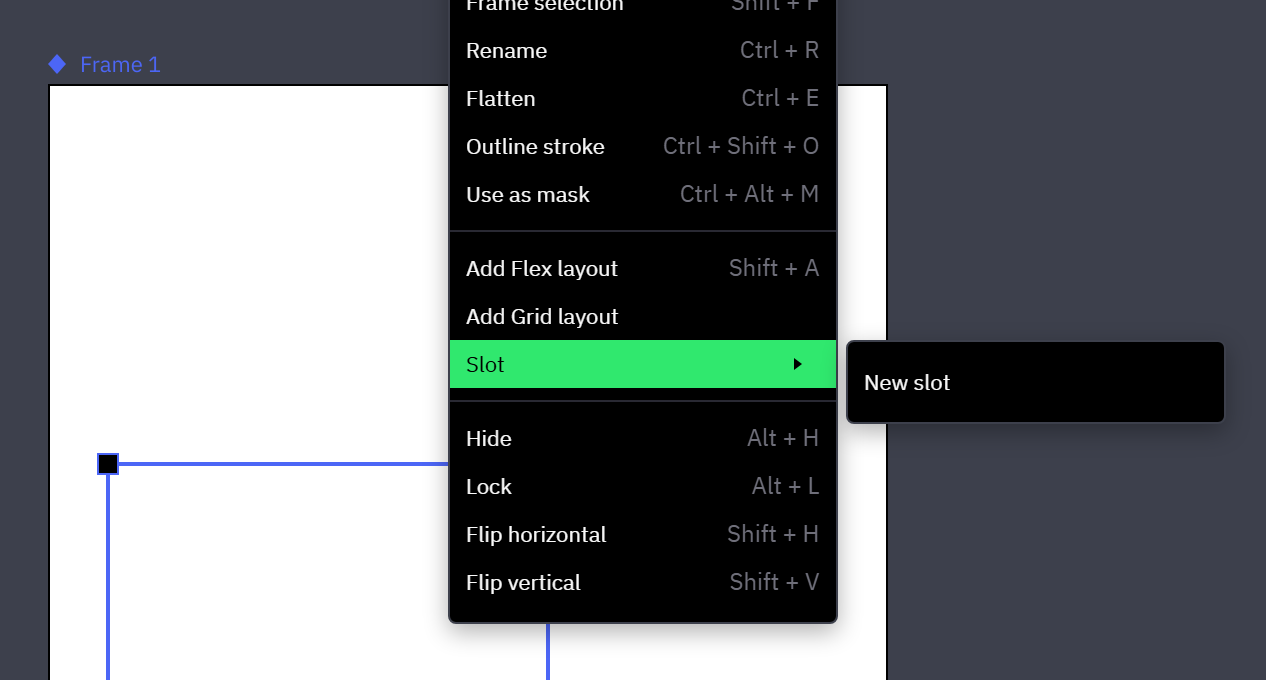
- Slot appears for a single selected frame anywhere inside a component or variant — not for the component itself, an instance or a layer inside an instance.
- New slot adds a Slot input named
Slot 1,Slot 2… to the component, or to the component set when the frame sits in a variant, and assigns the frame to it. Rename it in the Inputs section (→ Defining inputs); instances show no row for it. - Existing Slot inputs are listed by name above New slot; picking one assigns the frame to it. A slot already used by another frame of the same component or variant is not listed: one frame per slot.
- On the canvas an empty slot is filled with diagonal stripes, in the main component and in instances. Preview shows no stripes.
Assigning a frame to a slot deletes the layers inside that frame. Undo brings them back.
In the main component the slot frame stays empty: you can't drag, paste or draw layers into it, so every instance starts with an empty slot.
The slot's layout
The slot frame's own layout arranges whatever an instance puts in.
- Flex or Grid, direction, wrapping, gaps, padding, alignment and Grid tracks of the frame apply to the instance's content (→ Flex layout, Grid layout).
- A frame without managed layout leaves each layer where the instance places it, relative to the frame.
- A slot frame set to Hug content grows and shrinks with the content of each instance.
- In a Grid slot, content that doesn't fit into the frame's rows adds rows in that instance.
- Fill, stroke and corner radius stay those of the frame, which on an instance follows the same rules as any other layer of the component (→ Overridable properties).
Slot content in instances
Where: Layers panel → expand the instance down to the slot frame → the layer with the slot icon inside it, named after the Slot input.
- Drag layers into the slot on the canvas or in the Layers panel, draw inside it, or select the slot layer and paste.
- Slot content is ordinary layers: fully editable, not limited to the overridable properties, instances of other components included.
- The slot layer itself is read-only: size and layout come from the slot frame, the name from the input, and it can't be moved, renamed, cut or deleted.
- Duplicates and copies of an instance carry its slot content; detaching the instance turns it into plain layers.
A nested instance's slot can be filled inside the main component. Every instance of the outer component shows that content and follows it until the first edit. The first edit inside that slot on an outer instance — adding, deleting, moving or restyling a layer, editing a text layer — gives the instance its own copy of the whole content, in the same undo step. From then on changes made in the main component no longer reach it (→ Nested instances).
Slots and variants
Slots are matched across a component set by their Slot input, never by layer name or position.
- Each variant assigns its own frame to the slot: right-click the frame → Slot → the slot's name. The content is laid out by the frame of the variant that shows.
- This includes state variants. A
Card:hoverwithout a frame for the slot shows the card without its content while hovered (→ Naming states). - A switch to a variant that has no frame for the slot hides the content and keeps it; it shows again after a switch to a variant that has one.
- Preview matches slots the same way. What else survives a switch: Across variant switches.
Detaching a slot
Where: right-click the slot frame in the main component → Slot → Detach slot.
- The frame becomes a plain frame again and accepts layers. The Slot input stays in the Inputs section.
- Instances keep their content for that slot out of sight; it is back once a frame of the same component or variant is assigned to the slot again.
- Deleting the Slot input removes the content from every instance (→ Renaming and deleting inputs).
Related
- Component inputs — where Slot inputs are listed, renamed and deleted.
- Overrides — what else an instance can change, and what a variant switch keeps.
- Variants and interactive states — component sets and
Name:statenaming.